Verify the camera view, legal placement, power path, heat exposure, storage needs, and privacy rules before comparing products.
By GigStriker Editorial TeamPublished September 6, 2026Updated September 6, 2026
Evidence label: Research synthesisThis page does not contain product rankings or hands-on performance claims.
A dash cam is not a substitute for attentive driving, and recording rules vary by location. Fit begins with what can be mounted and recorded lawfully in every jurisdiction where you work. Check current windshield-obstruction, audio-recording, passenger-notice, workplace, and platform requirements.
Map the sightline before attaching anything
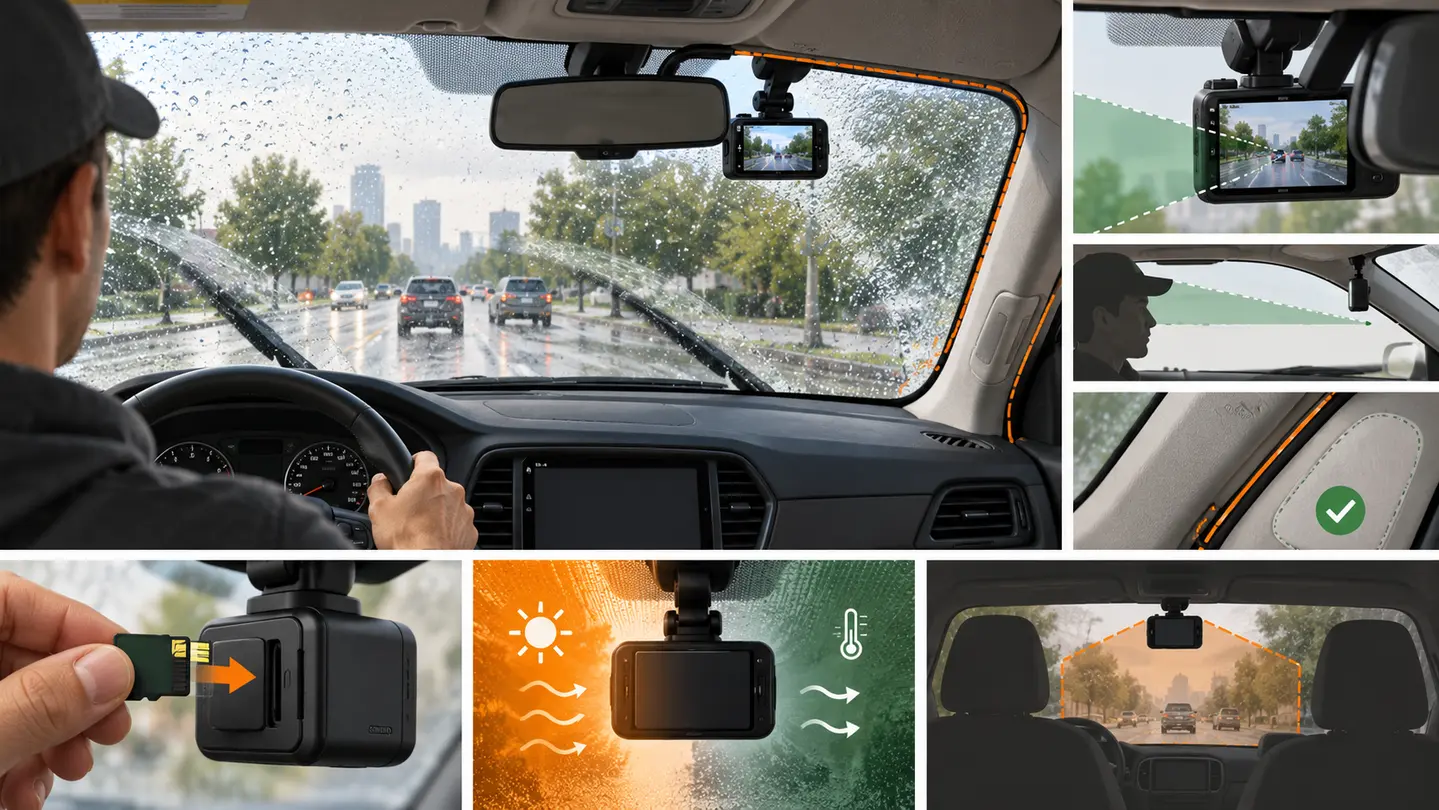
From the driver’s position, identify the area hidden by the mirror and the swept area of the wipers. The camera should have a useful road view without blocking the driver’s view, sensors, airbag zones, inspection stickers, or vehicle cameras. A rear or cabin camera adds more sightlines and privacy questions.
Design the power path
Power method
Verify
Constraint
12-volt adapter
Socket behavior, plug fit, cable route
May occupy the phone-charging supply
USB port
Output and whether it switches off
Vehicle port may not meet camera needs
Hardwire kit
Vehicle compatibility and professional installation needs
Electrical, airbag, fuse, and warranty implications
Internal battery
Manufacturer operating and storage temperatures
Heat exposure and limited runtime
Route cables without crossing the driver’s view, pedals, steering, shifter, seat tracks, or airbag deployment paths. Do not push wiring behind trim unless the vehicle and installation instructions establish a safe route.
Match recording to the shift
Estimate driving hours, resolution, camera count, and the amount of footage you need before overwrite. Confirm supported storage type and capacity, formatting procedure, loop-recording behavior, file locking, time accuracy, and how footage is exported. Advertised card capacity does not prove usable recording time under every setting.
Plan for heat, privacy, and maintenance
A parked windshield can become hot. Check the documented operating and storage temperature ranges and the attachment instructions. Periodically inspect alignment, lens cleanliness, timestamps, card errors, saved clips, and cable condition.
Cabin audio or video can capture passengers, private conversations, addresses, and customer information. Use only what is lawful and necessary, disclose recording where required, protect files, and establish a deletion routine.
Dash-cam fit record
Placement is lawful and does not block the driver, sensors, or airbags.
Camera sees through a clean, normally wiped area.
Power source and shutdown behavior match the intended recording mode.
Cable route avoids every control and deployment path.
Storage supports the shift and export workflow.
Audio, cabin recording, retention, and notices meet applicable rules.
Evidence boundary
GigStriker has not ranked dash cams or verified image detail, plate capture, night quality, heat survival, parking mode, impact detection, or storage reliability. Comparative claims require the same vehicle position, scenes, light, settings, temperatures, cards, and review method.
Instructional illustration. Dash-camera fit includes legal placement, sightline, power, storage, heat, and responsible recording. Digitally created and reviewed by the GigStriker Editorial Team; it is not a product test or proof of performance.
A camera creates a data-handling responsibility
A dash cam may record roads, passengers, conversations, customer locations, and private property. Hardware fit must therefore include lawful capture, secure storage, access control, retention, and deletion.
Define the evidence need
Decide whether the purpose is forward road context, parked impact recording, rear coverage, or cabin events. Each purpose changes camera count, field of view, storage, power, privacy, and notice requirements.
Check failure behavior
Learn what happens when storage fills, power is interrupted, temperature exceeds limits, or the card errors. A status light is useful only if its meaning can be recognized without interacting while driving.
Create an export and deletion routine
Practice saving a non-sensitive sample clip while parked, preserving timestamps and original files. Limit retention to a justified period and protect footage from unnecessary sharing.
Apply it to a shift
A camera that appears to record but silently stops on card errors can create false confidence; periodic verification is part of the setup.
Affiliate disclosure: This section contains Amazon affiliate links. As an Amazon Associate I earn from qualifying purchases.
SPECIFICATION-VERIFIED CANDIDATES
Products worth checking for fit—not untested winners
These are research candidates selected because the manufacturer publishes relevant specifications. Inclusion is not a ranking, endorsement, or hands-on performance claim.
Garmin Dash Cam Mini 3 (010-02899-00)
Why it made the shortlist: Garmin identifies this model as an ultracompact 1080p camera with a 140-degree field of view and a built-in polarizer. Its small, screen-free format makes it a useful candidate for the guide’s sightline, placement, power, storage, and app-workflow checks.
Verify before buying: Confirm recording and windshield-placement laws, privacy and audio rules, vehicle power behavior, cable routing, compatible memory card, phone/app requirements, and operating-temperature limits. GigStriker has not independently tested image detail, night recording, incident detection, app reliability, heat survival, or storage endurance.